
The biggest tech story of 2026 isn’t a single gadget — it’s the ecosystem. The phone in your pocket now talks to your watch, your earbuds, your TV and even your fridge, and the people getting the most from their tech aren’t the ones buying the most — they’re the ones whose devices actually work together. The problem is that most of us still upgrade the way we did years ago — one device at a time, at full price, the old phone gathering dust in a drawer — and leave both features and real savings on the table. The fix isn’t upgrading less. It’s upgrading smarter.
That’s the home turf of Samsung. Part of a group founded in 1938 and now one of the world’s largest technology companies — the number-one maker of TVs, memory chips and OLED displays, and among the biggest in smartphones — it posted around US$290 billion in revenue in 2025. More to the point, it builds a whole connected world: Galaxy phones (the S26 flagships, Z foldables and value A series), Galaxy Watch, Buds, Tab and Book, Neo QLED and OLED TVs, and Bespoke home appliances, all tied together by SmartThings and Galaxy AI. Two things turn that catalogue into a system: everything connects through one Samsung Account, and buying direct on Samsung.com unlocks trade-in, financing and launch offers you won’t always find elsewhere. The golden rule: sign in and buy direct before you commit, because the best bundles, trade-in values and reward points live there. Here’s the playbook.
Step 1: Match the Device to the Need, Not the Hype
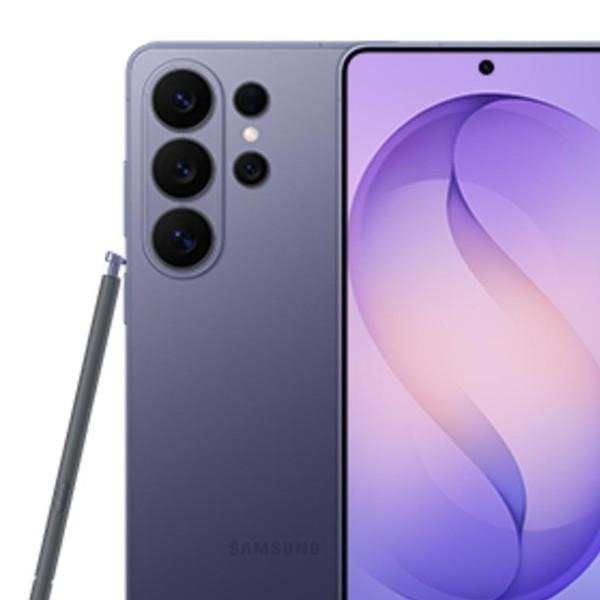
Before you buy, name what the device is actually for. A camera-and-power flagship points to the Galaxy S26 (and the S26 Ultra, with its 200MP camera and long zoom); a want-it-all-in-your-pocket user to a Z Fold or Z Flip foldable; a smart-value buyer to the Galaxy A series. The same logic runs across the range — a Neo QLED or OLED TV sized to your room, a Galaxy Watch or Buds for health and sound, a Galaxy Book if you work on the move. Pick the tier for the job first — the right device beats the most expensive one, and you stop paying for specs you’ll never use (or, worse, under-buying the storage you’ll miss).
Step 2: Buy Into the Ecosystem, Signed-In
A Galaxy device is good alone and great together. Sign in with one Samsung Account and your phone, watch, buds, tablet, Book and TV share notifications, files, calls and Galaxy AI features, all controlled through SmartThings — one home, one login. The Samsung Members app adds support, diagnostics, exclusive offers and rewards on top, and signing in on Samsung.com earns you free delivery and Samsung Rewards points. Buying a second Galaxy device isn’t just another gadget; it’s the one that makes the first one more useful — which is exactly why starting signed-in, on one account, compounds.

Step 3: Respect the Two Non-Negotiables
Two checks take zero compromise. First: the specs that matter for you — storage you won’t outgrow, battery for your day, and a display and chipset matched to how hard you’ll push them; don’t overpay for headline numbers you’ll never notice, and don’t under-buy the one spec you’ll feel daily. Second: reviews and protection — read recent owner reviews and expert tests before a big purchase, and add Samsung Care+ (or confirm the warranty) on expensive devices, because a single screen repair can cost more than years of cover.
Step 4: Build Around One App and Account
A connected setup only works if it lives in one place. The Samsung Shop app and your Samsung Account keep your orders, registered devices, warranties and offers together, SmartThings runs your phone, TV and appliances from a single screen, and Galaxy AI features arrive through software updates — Samsung now backs its flagships with years of OS and security updates, so a Galaxy you buy today keeps getting better. One account, one connected home, zero scattered logins.
Step 5: Time It — Launches, Pre-Orders and Sales
The same device costs very different amounts depending on when you buy it. Samsung’s biggest value lands at launch: pre-order a new Galaxy at an Unpacked event and you’ll often get a free storage upgrade, free Buds or a Watch, and bank or cashback offers stacked on top. Outside launches, festive sales and end-of-line deals cut prices on last-generation models that are still excellent. Timing is the quiet multiplier: pre-order when you want the newest, or wait for the sale when you don’t need day one.

Step 6: Buy Smart — Trade-In, EMI and Care
Two habits compound the savings. First, trade in and spread the cost — hand over your old phone, tablet or watch for an instant exchange discount (which also keeps e-waste out of landfill), and use no-cost EMI or financing to turn a big upgrade into manageable months rather than one painful hit. Second, protect it and keep it in the family — Samsung Care+ guards the expensive stuff, and staying on one Samsung Account means every future device, offer and reward builds on the last. The system rewards the buyer who stops upgrading blind and starts compounding — better value now, a smarter setup later.

Three Mistakes This Playbook Prevents
First: buying full price at the wrong time — skip the launch pre-order or the festive sale and you leave free storage, free accessories and cashback on the table. Second: ignoring trade-in — your old device is worth real money off the new one, and recycling it beats a drawer. Third: chasing the top-spec model you don’t need — the right Galaxy for your life usually costs less and serves you better than the one with the biggest number on the box.
Final Thoughts
Upgrading smart is really a case for buying deliberately: match the device to the need, sign in so the ecosystem and offers work for you, respect the specs that matter and protect the big buys, keep everything on one account, and let launches, trade-in and financing compound. With a connected world of Galaxy phones, watches, tablets, laptops, TVs and appliances — tied together by SmartThings and Galaxy AI — and trade-in, EMI and Care+ to make it affordable, Samsung is built for exactly this buyer: the one who refuses to upgrade the same old way.
Disclosure: This article contains affiliate links. If you make a purchase through them, Urbanscut may earn a commission at no extra cost to you.